• Skip to primary navigation
  • Skip to main content
  • Skip to primary sidebar
  • Skip to footer
Trending:
  • Kashmir
  • Elections
Monday, July 6, 2026

Daily Times

Your right to know

  • HOME
  • Latest
  • Iran-Israel war
  • Gilgit Baltistan Election
  • Pakistan
    • Balochistan
    • Gilgit Baltistan
    • Khyber Pakhtunkhwa
    • Punjab
    • Sindh
  • World
  • Editorials & Opinions
    • Editorials
    • Op-Eds
    • Commentary / Insight
    • Perspectives
    • Cartoons
    • Letters to the Editor
    • Featured
    • Blogs
      • Pakistan
      • World
      • Lifestyle
      • Culture
      • Sports
  • Business
  • Sports
  • E-PAPER
    • Lahore
    • Islamabad
    • Karachi

Why Wi-Fi router lights keep blinking explained?

Published on: May 4, 2026 4:45 PM

That Blinking Router Light? Here's What It REALLY Means

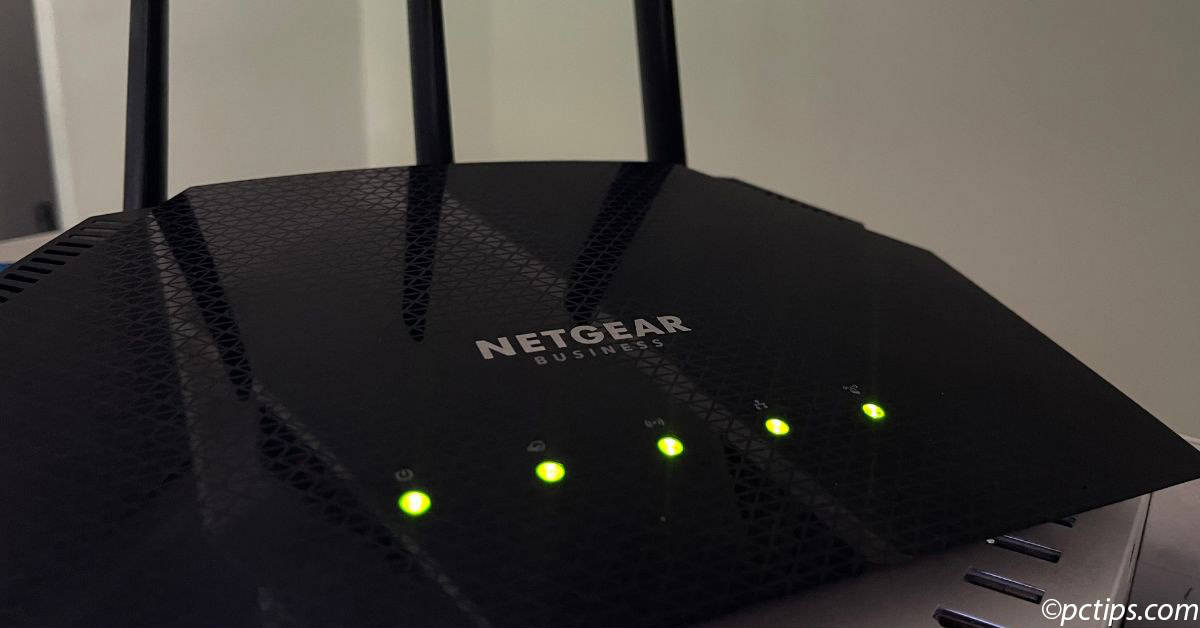
Many internet users often notice the green lights on their Wi-Fi routers blinking continuously, raising questions about what these signals actually mean. These lights are not random; they are part of a built-in system that communicates the status of the device and its connection.

Read More: 10 ways to boost your home WiFi signals

A router is designed to show different light patterns depending on its activity. When a device is first switched on, the lights may blink slowly as it attempts to establish a connection with the network. This indicates that the system is initializing and searching for stable connectivity.

Once the connection is successfully established, the blinking pattern may change or stabilise, showing that the router is actively connected to the internet. In many cases, a blinking light simply means that data is being transmitted between the router and connected devices.

Different colours and patterns also provide specific information. Green or white lights usually indicate normal operation and active connectivity. Red or orange lights often signal connection issues or technical faults. Yellow lights may suggest loading or processing activity within the system. Blue lights are commonly associated with Bluetooth or additional wireless features being active.

The behaviour of these indicators can vary depending on the manufacturer, as each router is programmed differently. However, the basic principle remains the same across most devices: light signals are used to communicate network status in a simple visual format.

Rapid blinking typically indicates heavy data usage or continuous internet traffic, while steady or slow blinking may suggest background processes such as connection setup or system checks.

Read More: Google takes Apple, Amazon to new hardware venture

Understanding these signals can help users quickly identify whether their internet is working properly or if troubleshooting is required. For specific interpretations, experts recommend checking the router’s user manual or the manufacturer’s official website for detailed information.

Filed Under: World Tagged With: broadband, home internet, internet tips, Latest, networking, technology, WiFi router

Submit a Comment


Primary Sidebar


Latest News

Over 232,000 Pakistanis completed online registration for Hajj 2027-2030

Trump says Netanyahu ‘knows who the boss is’ ahead of possible meeting

Egypt inaugurates massive Octagon defence headquarters

Three Khamenei sons attend funeral as Mojtaba remains absent

Funeral procession for Iran’s supreme leader begins in Tehran

Pakistan

Over 232,000 Pakistanis completed online registration for Hajj 2027-2030

Shehbaz Sharif, Asif Ali Zardari honour PAF officer killed while aiding woman

Eight tribesmen, young girl killed in Balochistan violence

Islamabad likely to host next round of US-Iran technical talks next week

Four AJK policemen abducted by banned JAAC members in Rawalakot

More Posts from this Category

Business

Oil prices ease after Opec+ boosts output targets

Opec+ approves further oil output increase as Hormuz exports start to recover

Pakistan’s expanding forest cover sweetens honey industry, boosts rural livelihoods

Rapid urbanisation, demands for better civic facilities puts housing sector under strain in Khyber Pakhtunkhwa

Experts stress need to preserve Indus Waters Treaty amid regional tensions

More Posts from this Category

World

Trump says Netanyahu ‘knows who the boss is’ ahead of possible meeting

Egypt inaugurates massive Octagon defence headquarters

Three Khamenei sons attend funeral as Mojtaba remains absent

More Posts from this Category


Footer

Home
Lead Stories
Latest News
Editor’s Picks

Culture
Life & Style
Featured
Videos

Editorials
OP-EDS
Commentary
Advertise

Cartoons
Letters
Blogs
Privacy Policy

Contact
Company’s Financials
Investor Information
Terms & Conditions

Facebook
Twitter
Instagram
Youtube

© 2026 Daily Times. All rights reserved.

Manage Consent
To provide the best experiences, we use technologies like cookies to store and/or access device information. Consenting to these technologies will allow us to process data such as browsing behavior or unique IDs on this site. Not consenting or withdrawing consent, may adversely affect certain features and functions.
Functional Always active
The technical storage or access is strictly necessary for the legitimate purpose of enabling the use of a specific service explicitly requested by the subscriber or user, or for the sole purpose of carrying out the transmission of a communication over an electronic communications network.
Preferences
The technical storage or access is necessary for the legitimate purpose of storing preferences that are not requested by the subscriber or user.
Statistics
The technical storage or access that is used exclusively for statistical purposes. The technical storage or access that is used exclusively for anonymous statistical purposes. Without a subpoena, voluntary compliance on the part of your Internet Service Provider, or additional records from a third party, information stored or retrieved for this purpose alone cannot usually be used to identify you.
Marketing
The technical storage or access is required to create user profiles to send advertising, or to track the user on a website or across several websites for similar marketing purposes.
  • Manage options
  • Manage services
  • Manage {vendor_count} vendors
  • Read more about these purposes
View preferences
  • {title}
  • {title}
  • {title}